



Installing smart switches is a great way to make your home more efficient and convenient. Whether you want to control your lights with your phone or set up a daily schedule, smart switches can help you get there. But what happens when things don’t go as planned?
From unresponsive switches to lights that flicker or won’t turn on at all, smart switch installation can come with its fair share of headaches. And believe it or not, your outdoor electrical outlet could be contributing to the problem.
Let’s walk through some of the most common smart switch issues, how to fix them, and why your outdoor wiring shouldn’t be ignored.
1. The Smart Switch Doesn’t Power On
You’ve installed everything, flipped the breaker, and… nothing. The switch won’t light up or respond.
What to check:
- Make sure the circuit is getting power.
- Confirm the wiring matches the manufacturer’s diagram.
- Many smart switches need a neutral wire—which older homes may not have.
Use an electrical tester for breaker and non energized outlet to verify that the power is flowing where it should. If you’re missing a neutral wire, you may need to have your wiring updated by a licensed electrician.
2. Switch Turns On, But the Light Doesn’t
Another common issue: the switch lights up, but the light itself doesn’t respond.
Possible causes:
- The load wire might not be properly connected.
- You’re using incompatible bulbs (especially with dimmers).
- There’s a grounding issue in the switch box.
If you’re not sure which wire is doing what, an electrical circuit tracer can help identify each connection clearly.
3. Wi-Fi Connection Problems
Many smart switches rely on Wi-Fi to connect to your phone or home assistant. If yours isn’t connecting, try these quick fixes:
- Make sure your network is 2.4GHz, not 5GHz.
- Move your router closer, or add a Wi-Fi extender.
- Reset the switch and start the setup process again.
Smart switches installed near an outdoor electrical outlet or in metal boxes can experience signal interference, which might be why the connection keeps failing.
4. Flickering or Buzzing Lights
If your lights flicker or your switch buzzes, that’s usually a sign of:
- Bulbs that aren’t compatible with the dimmer
- Loose wiring
- An overloaded circuit
Swap in dimmable LED bulbs from a trusted brand, and make sure the wiring is secure. If the issue continues, it might be time to upgrade your electrical panel to handle your smart devices more reliably.
5. The Switch Glitches After Power Outages
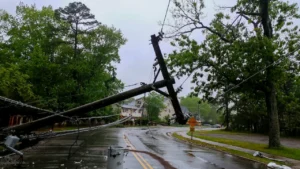
Smart switches don’t always recover well from power outages or surges. If your device is acting up after a storm, you might need to reset it—or replace it altogether.
To avoid damage in the future, consider installing refrigerator surge protection or a whole-house surge protector to guard all your electronics and smart devices.
Why Your Outdoor Electrical Outlet Matters
It may seem unrelated, but your outdoor electrical outlet can actually affect the performance of your indoor smart devices—especially if they’re on the same circuit. Outdoor outlets that aren’t GFCI-protected or weatherproofed can cause tripped breakers, inconsistent power, and even safety risks.
Make sure your outdoor outlets are:
- Covered and rated for exterior use
- GFCI-protected to prevent shock hazards
- Properly grounded and not overloaded
If you’re unsure, call an expert in emergency electrical service to inspect and upgrade them as needed.
Final Thoughts
Smart switches can make your home feel modern and more functional—but only if they’re installed correctly. When things go wrong, it’s often a small wiring or compatibility issue that’s easy to fix with a little troubleshooting.
Don’t overlook your outdoor electrical outlet, especially if your smart lighting setup extends outside. It could be the hidden cause of flickering lights or tripped breakers.
Still having trouble? Reach out to a professional residential electrician to make sure everything’s wired safely and working the way it should.